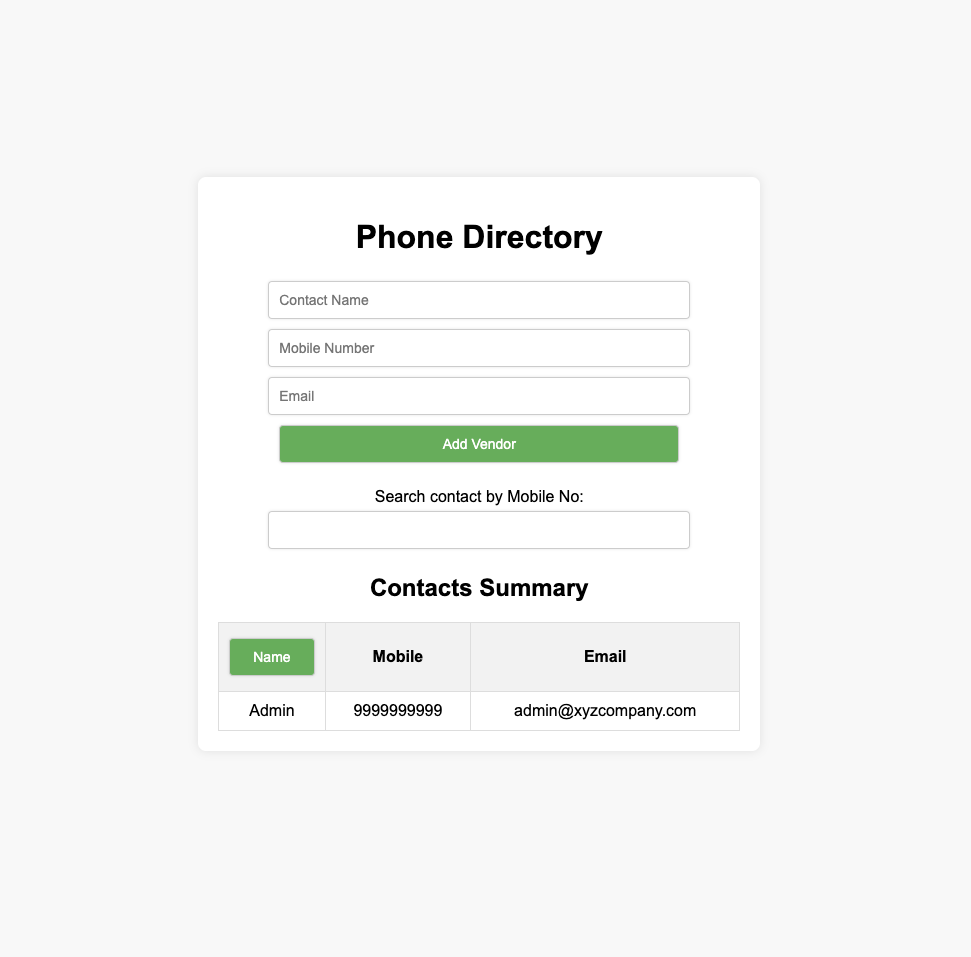
const nameInput = document.getElementById("name") as HTMLInputElement;
const mobileInput = document.getElementById("mobile") as HTMLInputElement;
const emailInput = document.getElementById("email") as HTMLInputElement;
const errorElement = document.getElementById("error") as HTMLDivElement;
const submitButton = document.getElementById("submit") as HTMLButtonElement;
const contactsTableBody = document.querySelector(
"#summaryTable tbody",
) as HTMLTableSectionElement;
const noResultElement = document.getElementById("noResult") as HTMLDivElement;
const searchInput = document.getElementById("search") as HTMLInputElement;
const nameColumnButton = document.getElementById(
"nameColumn",
) as HTMLButtonElement;
type Contact = {
name: string;
mobile: string;
email: string;
};
let contacts: Contact[] = [
{
name: "Admin",
mobile: "9999999999",
email: "admin@xyzcompany.com",
},
];
function validateInput(name: string, mobile: string, email: string): string {
if (!/^[A-Za-z\s]{1,20}$/.test(name)) {
return "Name should contain only letters and spaces, and be up to 20 characters long.";
}
if (!/^\d{10}$/.test(mobile)) {
return "Mobile number should be exactly 10 digits.";
}
const emailRegex = /^[a-zA-Z0-9._%+-]+@[a-zA-Z0-9.-]+\.[a-zA-Z]{2,}$/;
if (!emailRegex.test(email)) {
return "Invalid email address.";
}
return "";
}
function addContactToTable(contact: Contact): void {
const newRow = contactsTableBody.insertRow();
newRow.insertCell(0).textContent = contact.name;
newRow.insertCell(1).textContent = contact.mobile;
newRow.insertCell(2).textContent = contact.email;
}
function displayContacts(filteredContacts: Contact[]): void {
contactsTableBody.innerHTML = "";
if (filteredContacts.length === 0) {
noResultElement.style.display = "block";
} else {
noResultElement.style.display = "none";
filteredContacts.forEach((contact) => addContactToTable(contact));
}
}
submitButton.addEventListener("click", function (event: Event) {
event.preventDefault();
const name = nameInput.value;
const mobile = mobileInput.value;
const email = emailInput.value;
const validationError = validateInput(name, mobile, email);
if (validationError) {
errorElement.textContent = validationError;
errorElement.style.display = "block";
return;
}
const newContact: Contact = { name, mobile, email };
contacts.push(newContact);
displayContacts(contacts);
nameInput.value = "";
mobileInput.value = "";
emailInput.value = "";
errorElement.style.display = "none";
});